OpenCode Coding Plan
现在市面上有很多大模型厂商, 国外的有 Anthropic、Open AI、Grok、Gemini等,但是访问国外现在不方便,国内的有 DeepSeek、千问、ZLM、Minimax 等。
我们使用Claude Code 写代码最费钱的就是 token 了,海外的访问不方便,而且还贵,国内的现在都有包月套餐,如果长期用建议买包月套餐划算。
本文介绍阿里云百炼的 Coding Plan,它专为 AI 编程工具设计的订阅制服务,整合了千问(Qwen)、GLM、Kimi、MiniMax 等顶级大模型,兼容主流 AI 编程助手(如 OpenCode、Claude Code、OpenClaw 等),采用固定月费模式,成本远低于按量计费 API,且彻底杜绝欠费风险。
Coding Plan 核心优势:
- 顶级模型一键接入:无需自己调用百炼 API,直接在熟悉的编程工具里使用最强模型。
- 成本极低:固定月费(Lite ¥40/月,Pro ¥200/月),首月限时优惠仅 7.9 元 / 39.9 元。
- 安全无忧:禁止 API 直连,仅限交互式编程工具使用,避免滥用封禁风险。
- 图片理解支持:qwen3.5-plus、kimi-k2.5 支持上传截图/设计图直接生成代码。
推荐模型(官方已适配):
- qwen3.5-plus(支持图片理解,推荐首选)
- kimi-k2.5(支持图片理解)
- glm-5
- MiniMax-M2.5
Coding Plan 支持以下工具:Cursor、Claude Code、OpenClaw、OpenCode、Cline(VS Code 扩展)、Kilo Code / Kilo CLI、Qwen Code、Codex 等。
订阅方舟 Coding Plan
访问方舟 Coding Plan 活动,按需订阅套餐,用量不大用 Lite 版本就可以了, 如果用量非常大可以使用 Pro 版本。
Coding Plan/Agent Plan首两个月2.5折
活动时间:2026.06.08-2026.08.07
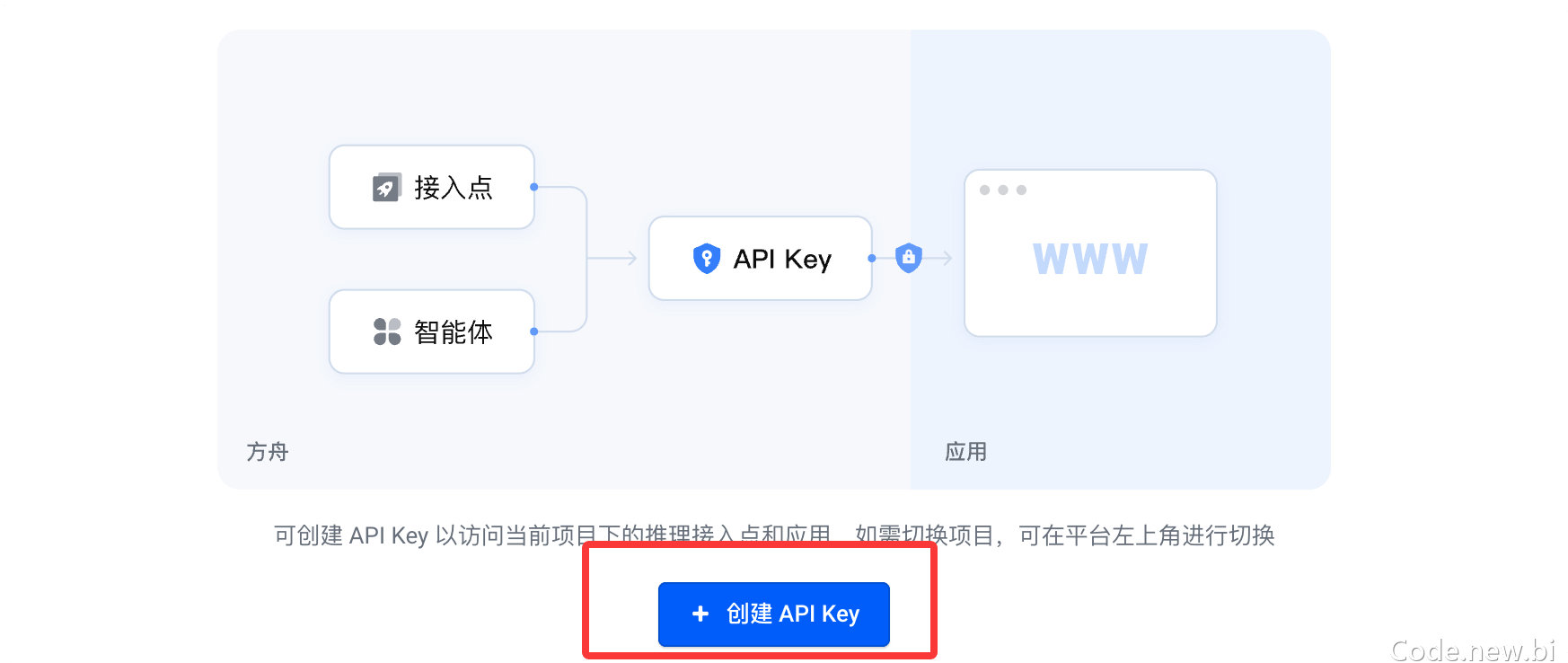
购买成功后,点击 创建您的 API Key:
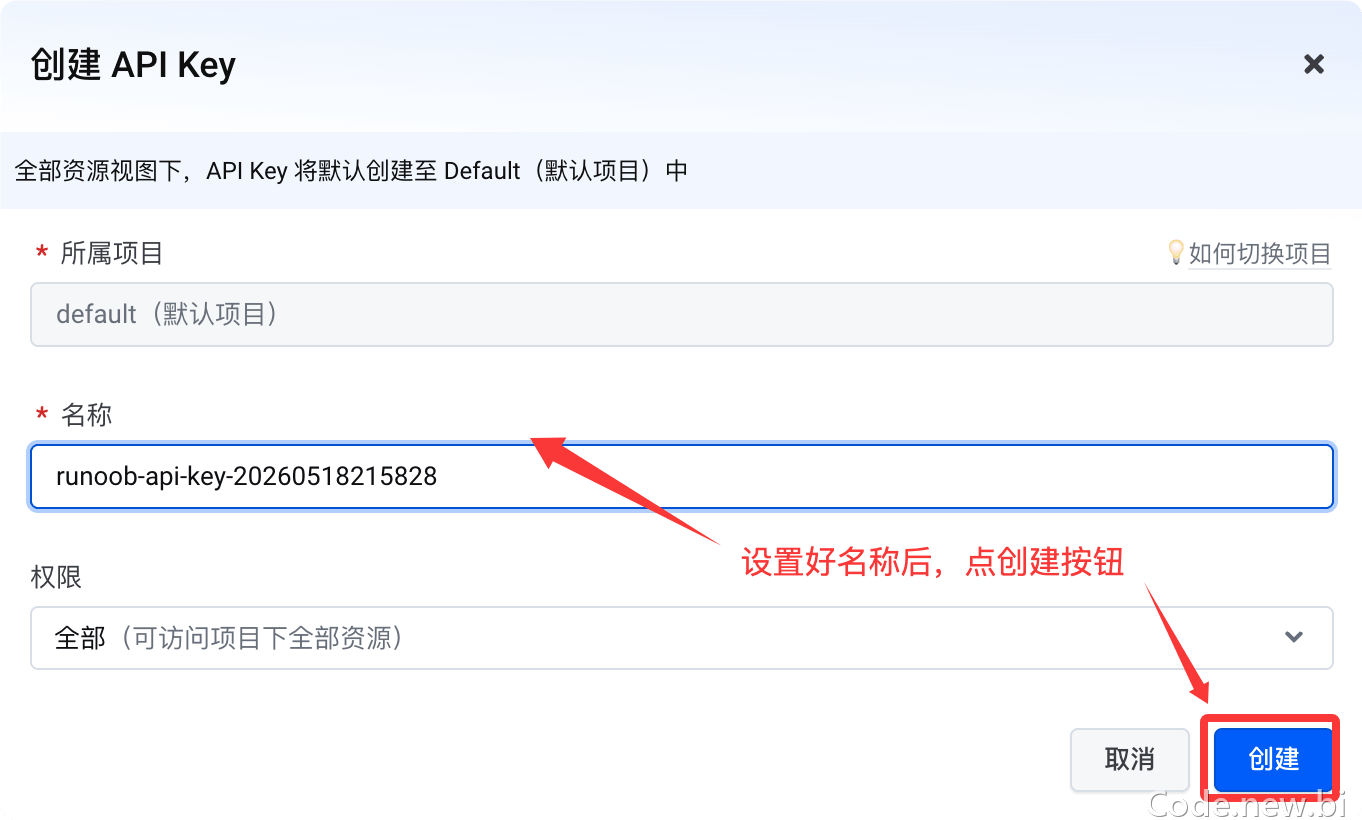
然后点创建按钮:
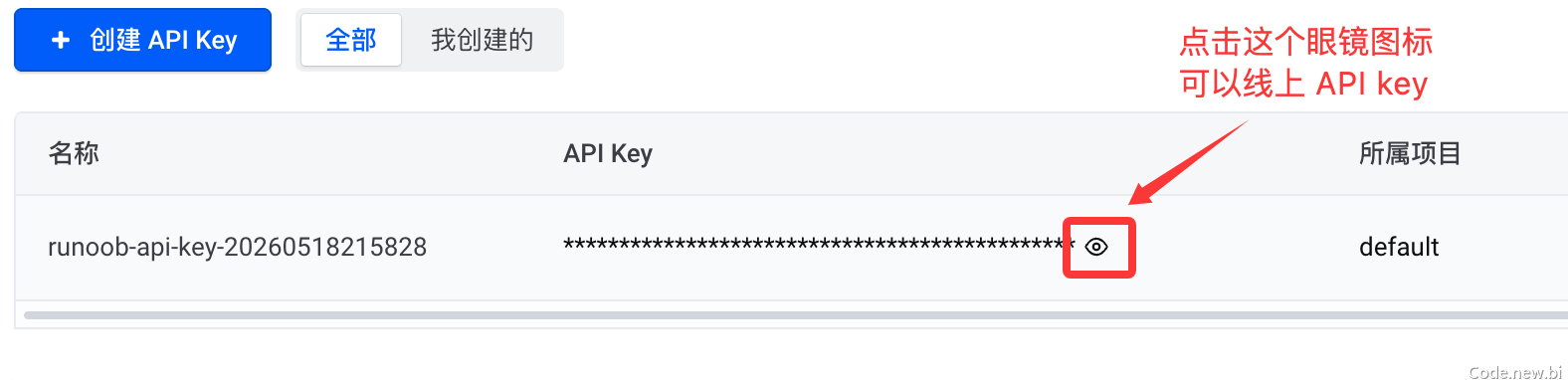
点击下面的小眼睛图标,可以看到 API key 可以,要用时,复制上就可以了:
方舟 Coding Plan 是面向开发者的 AI 编码订阅服务,助力高效开发,核心优势如下:
- 模型丰富:支持主流大语言模型与 Embedding 模型,覆盖 Doubao、DeepSeek、Kimi、GLM、MiniMax 等热门系列。
- 工具兼容广:适配 Claude Code、Cursor、Cline、OpenCode、Codex CLI 等主流 AI 编码工具。
- 额度共享:多工具共用套餐额度,灵活切换,适配不同开发场景。
- 套餐灵活:提供 Lite / Pro 多档方案,满足轻度到高强度开发需求。
- 稳定高可用:多租户隔离与资源调度保障,高峰期依然稳定流畅。
不同的工具配置的 Base URL 根据兼容的协议会有不同:
- 兼容 Anthropic 接口协议工具:https://ark.cn-beijing.volces.com/api/coding
- 兼容 OpenAI 接口协议工具:https://ark.cn-beijing.volces.com/api/coding/v3
注意:请勿使用 https://ark.cn-beijing.volces.com/api/v3 :该 Base URL 不会消耗您的 Coding Plan 额度,而是会产生额外费用。
配置 OpenCode
编辑 OpenCode 配置文件:
- macOS / Linux:
~/.config/opencode/opencode.json - Windows:
C:\Users\您的用户名\.config\opencode\opencode.json
修改配置项
请根据实际情况替换以下内容:
<ARK_API_KEY>:获取您的 API Keymodel:替换为需要使用的模型名称
具体模型有:doubao-seed-2.0-code、doubao-seed-2.0-pro、doubao-seed-2.0-lite、doubao-seed-code、minimax-m2.5、glm-4.7、deepseek-v3.2、kimi-k2.5。
opencode.json 配置内容如下,以 ark-code-latest 为例:
{
  "$schema": "https://opencode.ai/config.json",
  "model": "volcengine-plan/ark-code-latest",
  "provider": {
    "volcengine-plan": {
      "npm": "@ai-sdk/openai-compatible",
      "name": "Volcano Engine",
      "options": {
        "baseURL": "https://ark.cn-beijing.volces.com/api/coding/v3",
        "apiKey": "<ARK_API_KEY>"
      },
      "models": {
        "ark-code-latest": {
          "name": "ark-code-latest",
          "limit": {
            "context": 256000,
            "output": 4096
          },
          "modalities": {
            "input": [
              "text",
              "image"
            ],
            "output": [
              "text"
            ]
          }
        },
        "doubao-seed-code": {
          "name": "doubao-seed-code",
          "limit": {
            "context": 256000,
            "output": 4096
          },
          "modalities": {
            "input": [
              "text",
              "image"
            ],
            "output": [
              "text"
            ]
          }
        },
        "glm-4.7": {
          "name": "glm-4.7",
          "limit": {
            "context": 200000,
            "output": 4096
          },
          "modalities": {
            "input": [
              "text"
            ],
            "output": [
              "text"
            ]
          }
        },
        "deepseek-v3.2": {
          "name": "deepseek-v3.2",
          "limit": {
            "context": 128000,
            "output": 4096
          }
        },
        "doubao-seed-2.0-code": {
          "name": "doubao-seed-2.0-code",
          "limit": {
            "context": 256000,
            "output": 4096
          },
          "modalities": {
            "input": [
              "text",
              "image"
            ],
            "output": [
              "text"
            ]
          }
        },
        "doubao-seed-2.0-pro": {
          "name": "doubao-seed-2.0-pro",
          "limit": {
            "context": 256000,
            "output": 4096
          },
          "modalities": {
            "input": [
              "text",
              "image"
            ],
            "output": [
              "text"
            ]
          }
        },
        "doubao-seed-2.0-lite": {
          "name": "doubao-seed-2.0-lite",
          "limit": {
            "context": 256000,
            "output": 4096
          },
          "modalities": {
            "input": [
              "text",
              "image"
            ],
            "output": [
              "text"
            ]
          }
        },
        "minimax-m2.5": {
          "name": "minimax-m2.5",
          "limit": {
            "context": 200000,
            "output": 4096
          },
          "modalities": {
            "input": [
              "text"
            ],
            "output": [
              "text"
            ]
          }
        },
        "kimi-k2.5": {
          "name": "kimi-k2.5",
          "limit": {
            "context": 256000,
            "output": 4096
          },
          "modalities": {
            "input": [
              "text",
              "image"
            ],
            "output": [
              "text"
            ]
          }
        }
      }
    }
  }
}
注意事项:provider.volcengine-plan.models 节点下有两处模型名称需要保持一致:
- 对象键名
- name 字段值
两处必须使用相同的 Model Name,缺一不可。
开启图片理解能力(可选)
如需启用模型图片识别 / 多模态输入,请在模型配置中添加:
"modalities": {
  "input": ["text", "image"],
  "output": ["text"]
}
开始使用
完成配置后启动 OpenCode:
opencode
然后输入:
/models
选择已配置模型即可开始使用。
订阅阿里 Coding Plan
Coding Plan 基本太难抢, 也要下架,阿里现在都改为 Token Plan 了,查看:阿里云百炼 Token Plan
- OpenAI 兼容:https://token-plan.cn-beijing.maas.aliyuncs.com/compatible-mode/v1
- Anthropic 兼容:https://token-plan.cn-beijing.maas.aliyuncs.com/apps/anthropic
需要先购买百炼的 Coding Plan 套餐:https://www.aliyun.com/benefit/scene/codingplan
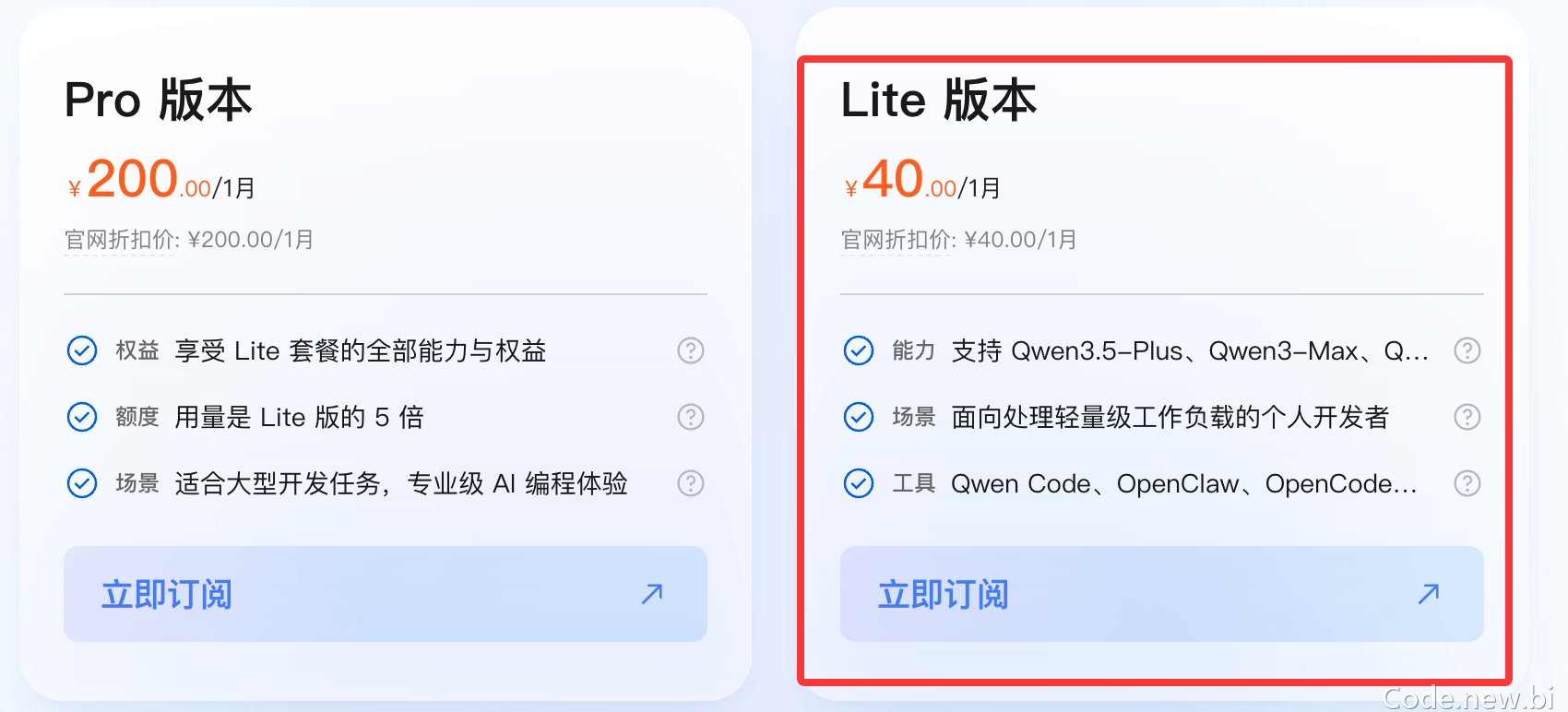
如果用量非常大可以使用 Pro 版本,它是 Lite 版本的 5 倍,支持的模型都一样:
购买完 Coding Plan 套餐,可以在 Coding Plan 页面,获取 Coding Plan 专属 API Key(格式为 sk-sp-xxxxx)。
更大流行的应用也有对应的文档说明:
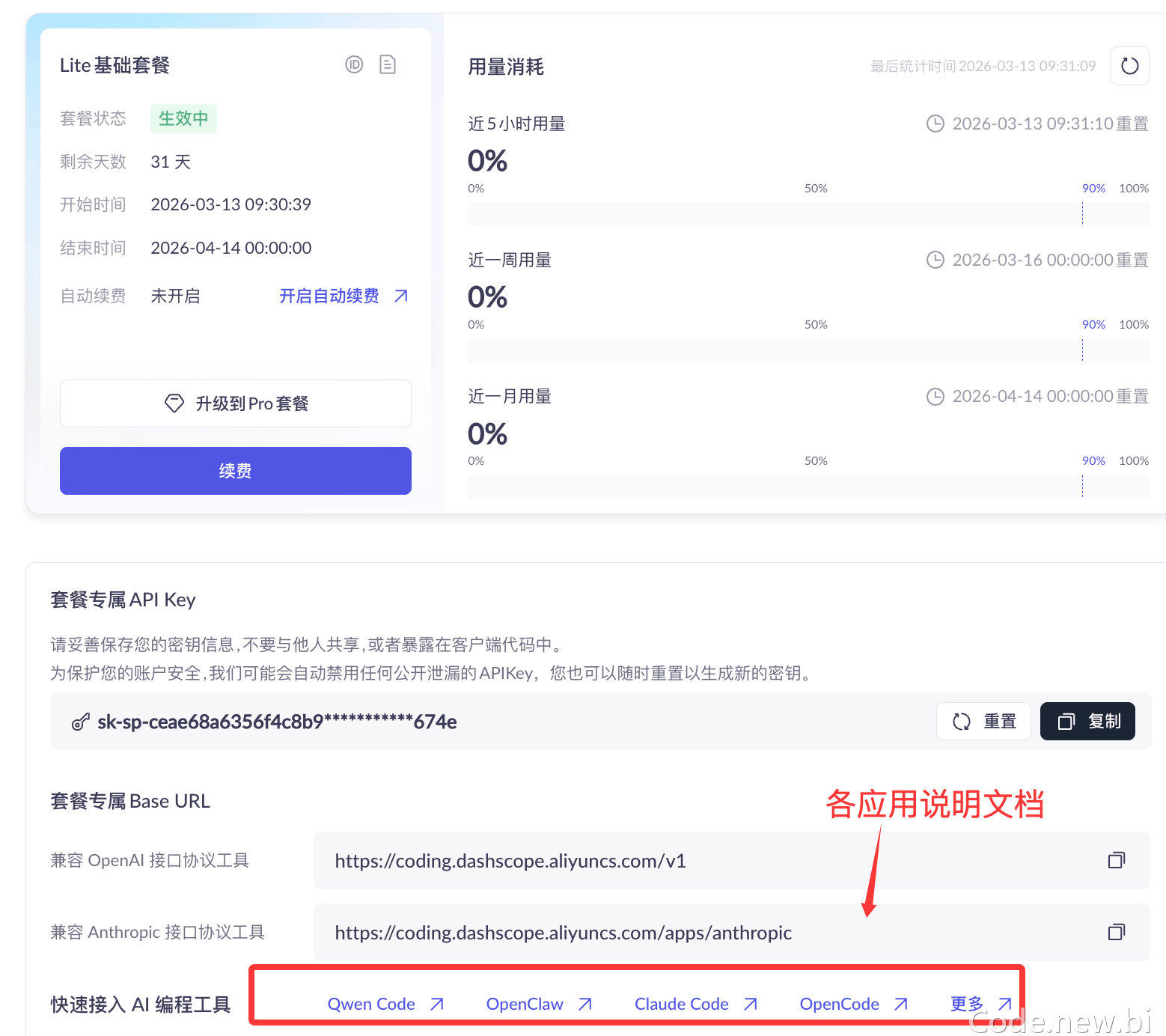
后续需在 AI 工具中配置以下其中一个 Base URL(因工具而异):
- Anthropic 兼容协议:https://coding.dashscope.aliyuncs.com/apps/anthropic
- OpenAI 兼容协议(OpenClaw 可使用):https://coding.dashscope.aliyuncs.com/v1
说明:Coding Plan 专属的 API Key 和 Base URL 与百炼按量计费的 API Key(sk-xxxxx)和Base URL(https://dashscope.aliyuncs.com/xxxxxx)不互通,请勿混用。
如果抢不到,可以直接购买资源包,这样用起来更划算:https://cn.aliyun.com/benefit?from_alibabacloud=&userCode=i5mn5r7m
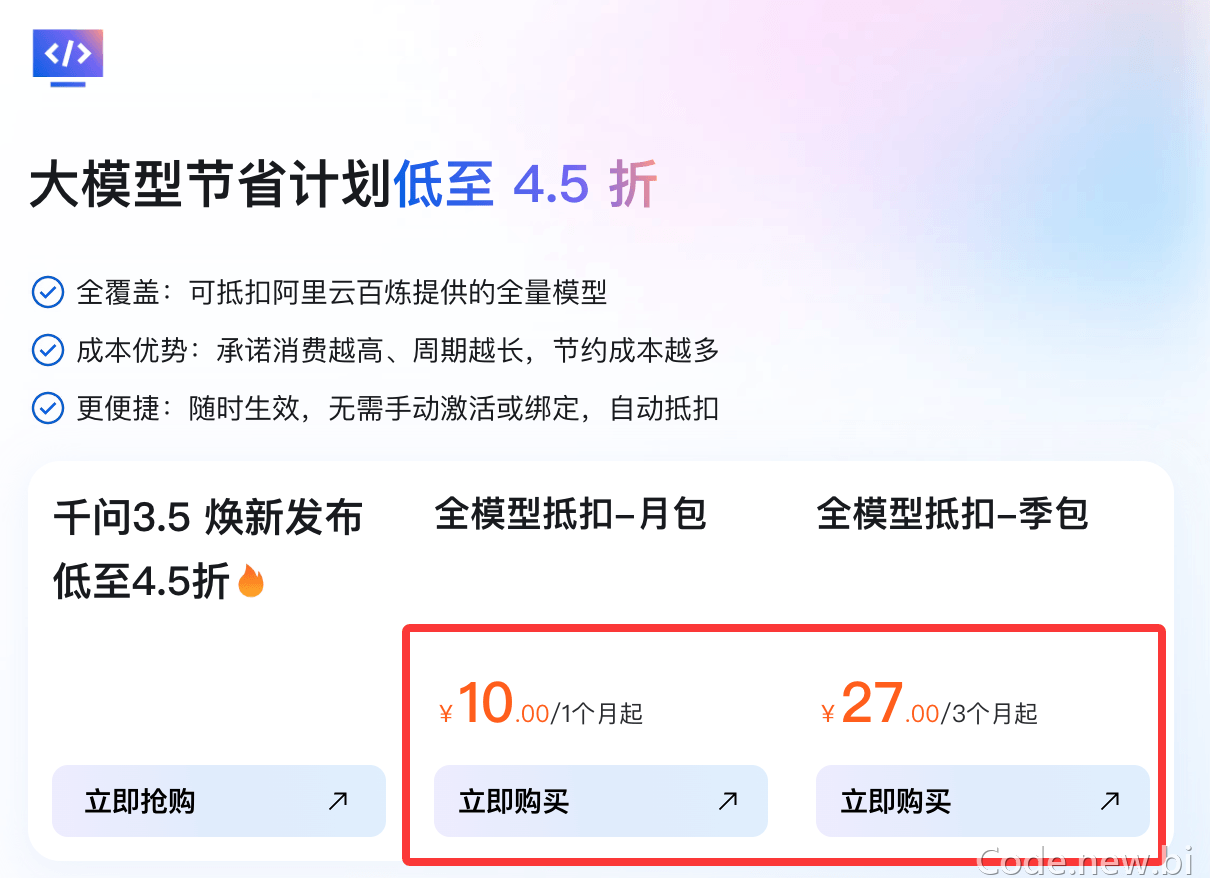
在 OpenCode 配置 Coding Plan
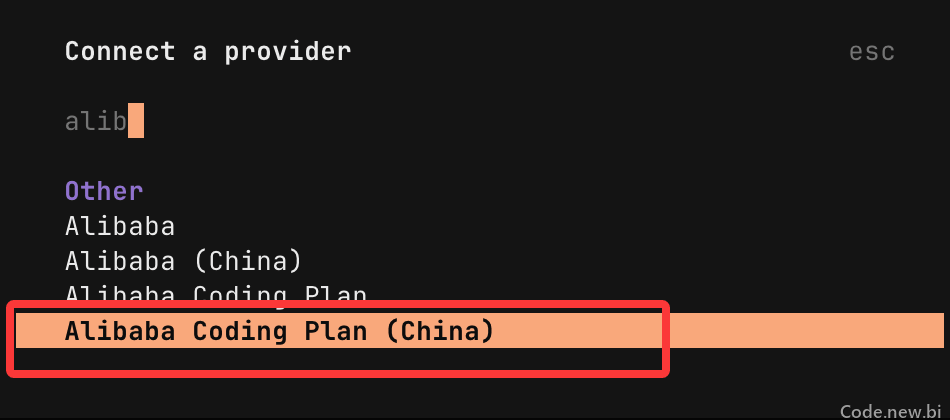
在输入框输入 /connect 并单击 Enter。
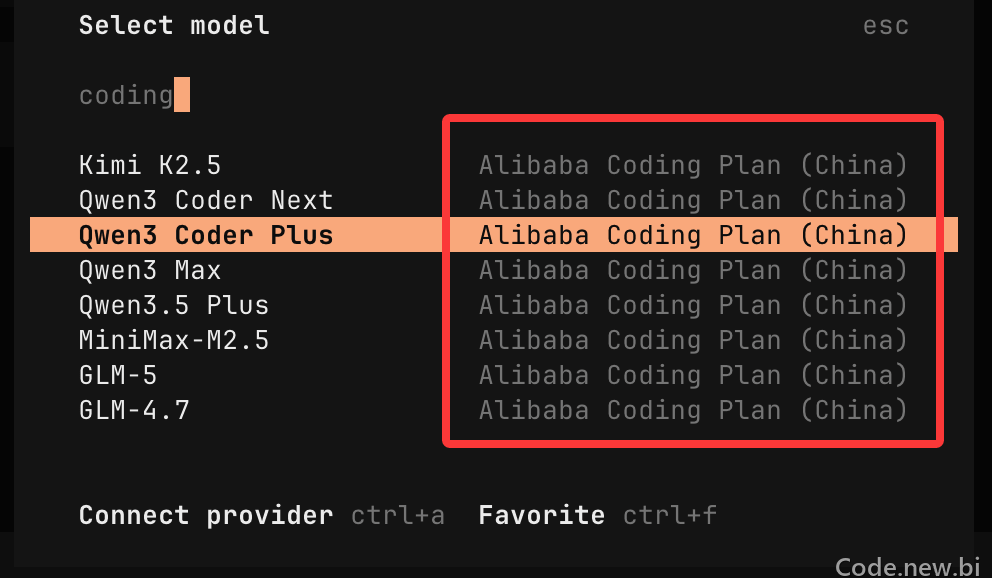
在 Connect a Provider 列表的搜索框中输入 alibaba 进行搜索,选中 Alibaba Coding Plan (China) 并单击 Enter。
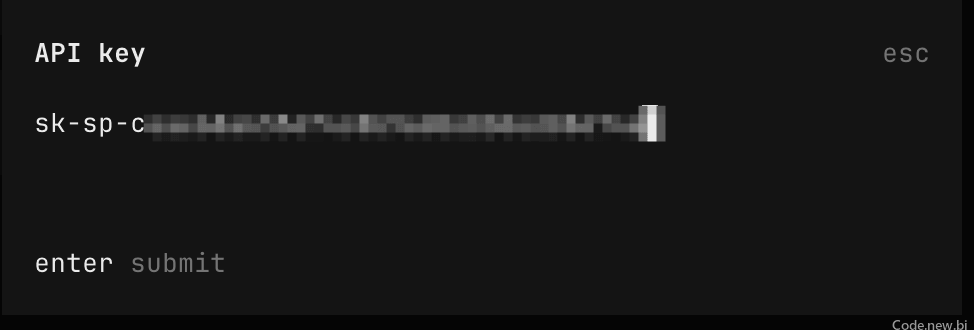
输入我们申请的 API Key 后按 Enter:
然后我们可以输入 /model 查看 Coding Plan 支持的模型,并选择需要的:
界面设置
配置文件中设置
请在以下路径创建并打开配置文件 opencode.json :
- macOS / Linux: ~/.config/opencode/opencode.json
- Windows: C:\Users\您的用户名\.config\opencode\opencode.json
将以下配置写入文件,关键配置项:
- baseURL:https://coding.dashscope.aliyuncs.com/apps/anthropic/v1,请勿使用百炼通用地址。
- apiKey:将 YOUR_API_KEY 替换为 Coding Plan 专属 API Key,格式为 sk-sp-xxx。
注意:保存配置文件后,请退出并重新启动 OpenCode 使新配置生效。
{
    "$schema": "https://opencode.ai/config.json",
    "provider": {
        "bailian-coding-plan": {
            "npm": "@ai-sdk/anthropic",
            "name": "Model Studio Coding Plan",
            "options": {
                "baseURL": "https://coding.dashscope.aliyuncs.com/apps/anthropic/v1",
                "apiKey": "YOUR_API_KEY"
            },
            "models": {
                "qwen3.5-plus": {
                    "name": "Qwen3.5 Plus",
                    "modalities": {
                        "input": ["text", "image"],
                        "output": ["text"]
                    },
                    "options": {
                        "thinking": {
                            "type": "enabled",
                            "budgetTokens": 8192
                        }
                    },
                    "limit": {
                        "context": 1000000,
                        "output": 65536
                    }
                },
                "qwen3-max-2026-01-23": {
                    "name": "Qwen3 Max 2026-01-23",
                    "modalities": {
                        "input": ["text"],
                        "output": ["text"]
                    },
                    "limit": {
                        "context": 262144,
                        "output": 32768
                    }
                },
                "qwen3-coder-next": {
                    "name": "Qwen3 Coder Next",
                    "modalities": {
                        "input": ["text"],
                        "output": ["text"]
                    },
                    "limit": {
                        "context": 262144,
                        "output": 65536
                    }
                },
                "qwen3-coder-plus": {
                    "name": "Qwen3 Coder Plus",
                    "modalities": {
                        "input": ["text"],
                        "output": ["text"]
                    },
                    "limit": {
                        "context": 1000000,
                        "output": 65536
                    }
                },
                "MiniMax-M2.5": {
                    "name": "MiniMax M2.5",
                    "modalities": {
                        "input": ["text"],
                        "output": ["text"]
                    },
                    "options": {
                        "thinking": {
                            "type": "enabled",
                            "budgetTokens": 8192
                        }
                    },
                    "limit": {
                        "context": 204800,
                        "output": 131072
                    }
                },
                "glm-5": {
                    "name": "GLM-5",
                    "modalities": {
                        "input": ["text"],
                        "output": ["text"]
                    },
                    "options": {
                        "thinking": {
                            "type": "enabled",
                            "budgetTokens": 8192
                        }
                    },
                    "limit": {
                        "context": 202752,
                        "output": 16384
                    }
                },
                "glm-4.7": {
                    "name": "GLM-4.7",
                    "modalities": {
                        "input": ["text"],
                        "output": ["text"]
                    },
                    "options": {
                        "thinking": {
                            "type": "enabled",
                            "budgetTokens": 8192
                        }
                    },
                    "limit": {
                        "context": 202752,
                        "output": 16384
                    }
                },
                "kimi-k2.5": {
                    "name": "Kimi K2.5",
                    "modalities": {
                        "input": ["text", "image"],
                        "output": ["text"]
                    },
                    "options": {
                        "thinking": {
                            "type": "enabled",
                            "budgetTokens": 8192
                        }
                    },
                    "limit": {
                        "context": 262144,
                        "output": 32768
                    }
                }
            }
        }
    }
}
说明:budgetTokens 用于控制模型思考过程的最大 Token 预算,若设置过低可能导致模型思考过程中断。
使用
在终端中执行以下命令进入 OpenCode。
opencode
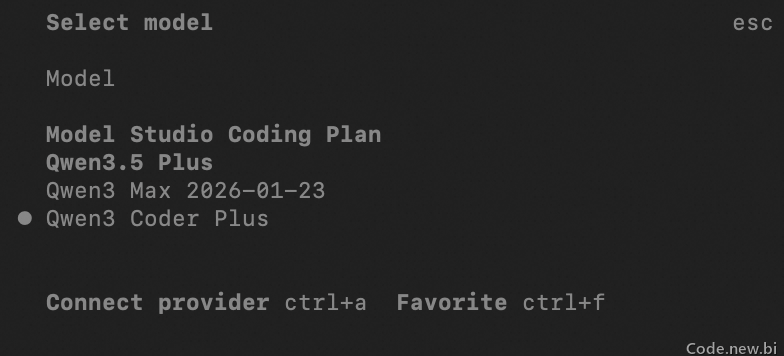
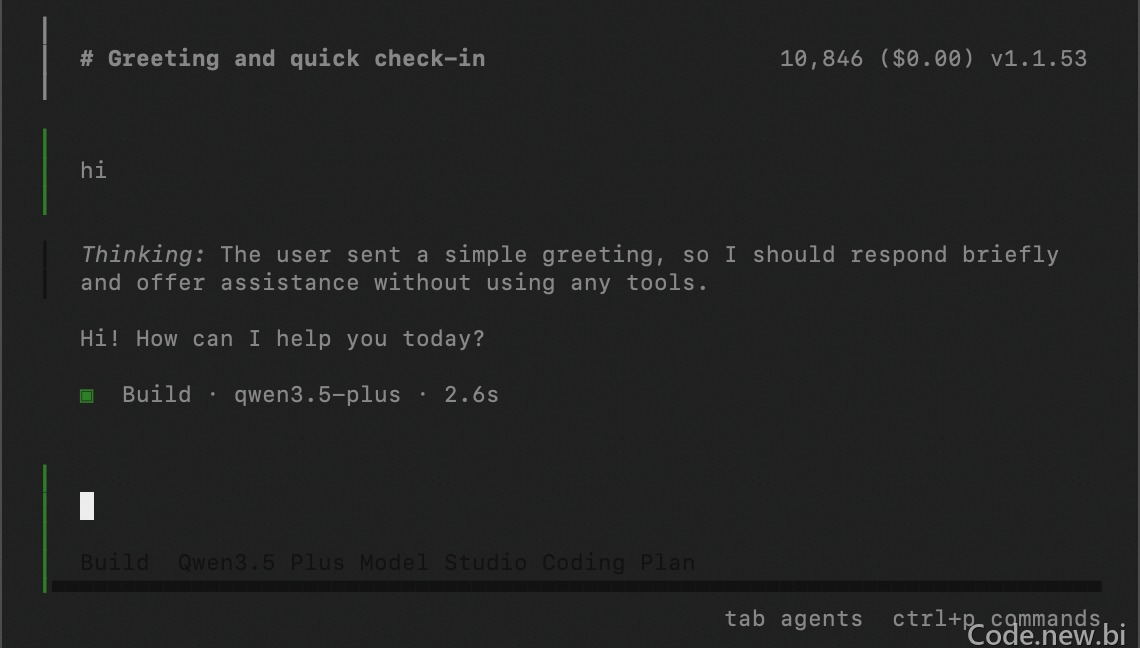
在命令行输入 /models,输入 Model Studio Coding Plan 进行搜索,选择模型后即可使用。
更多内容参考:https://help.aliyun.com/zh/model-studio/opencode-coding-plan